Napdav turns incoming business documents into organized records, tasks, reminders, and answers. Each capability shares the same source of truth, so the handoff between them disappears.

The modules are useful on their own. They become much more useful when a document can create an invoice record, that record can create a reminder, and the assistant can answer a question about both.
Upload invoices, receipts, contracts, and files. Napdav reads them and pulls out the details that matter.
Keep financial operations organized with due dates, payment status, and clear running summaries.
Turn documents and business events into tasks, reminders, and repeatable workflows.
Store employee details, onboarding records, and the HR admin data you need to keep on file.
Ask what invoices are due this week or which tasks are overdue, and get an answer from your own data.
See operations, spending, and workload trends without building a spreadsheet first.
Invoices, receipts, contracts, and employee documents enter through one inbox. Napdav identifies what each file is and creates a searchable record around it.
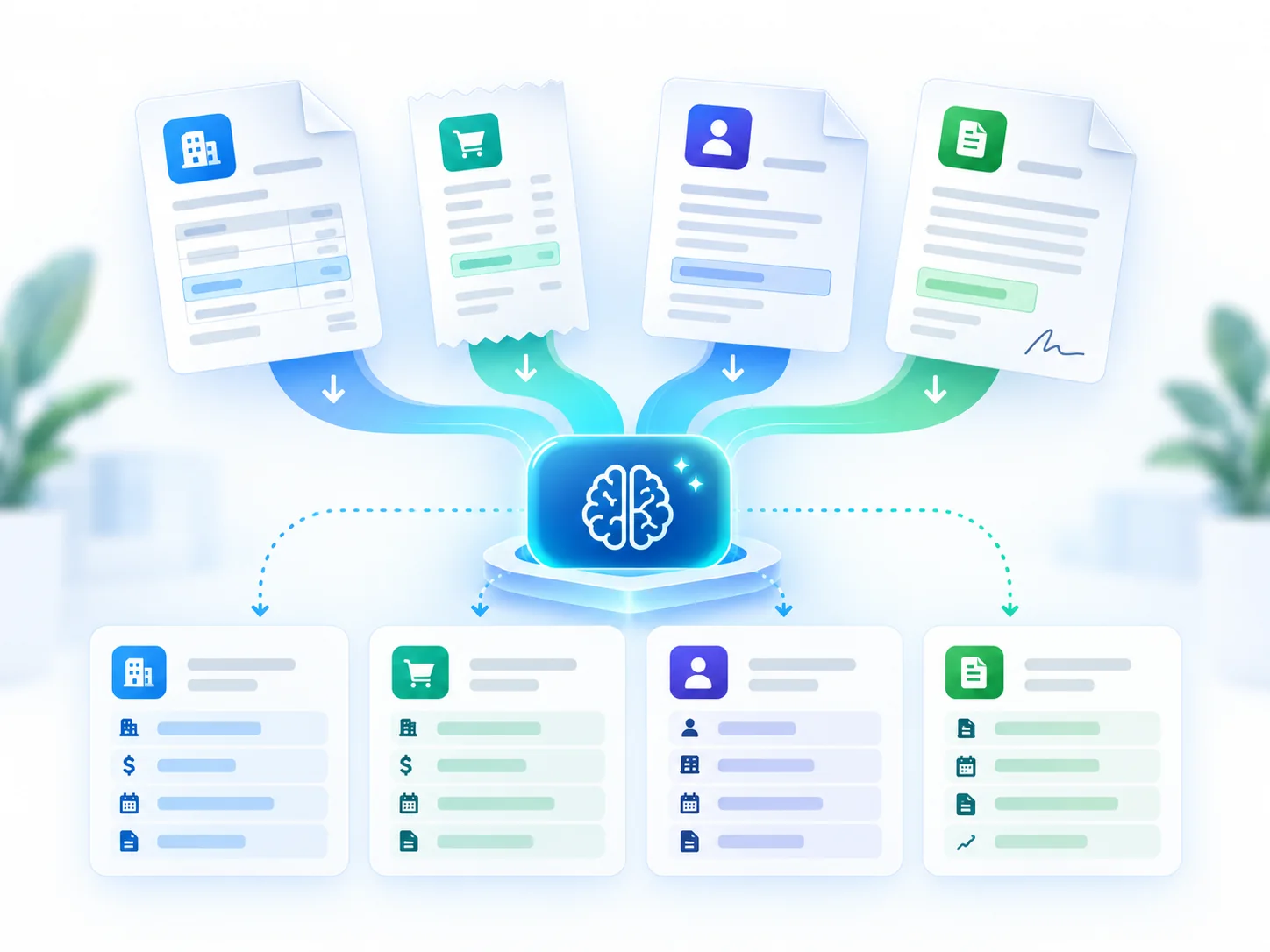
An invoice becomes more than a PDF in a folder. Its vendor, value, due date, and payment state stay visible with the reminder that follows it.

A document arrival, due date, or employee milestone can create a task with an owner and a deadline. The context remains attached to the work.

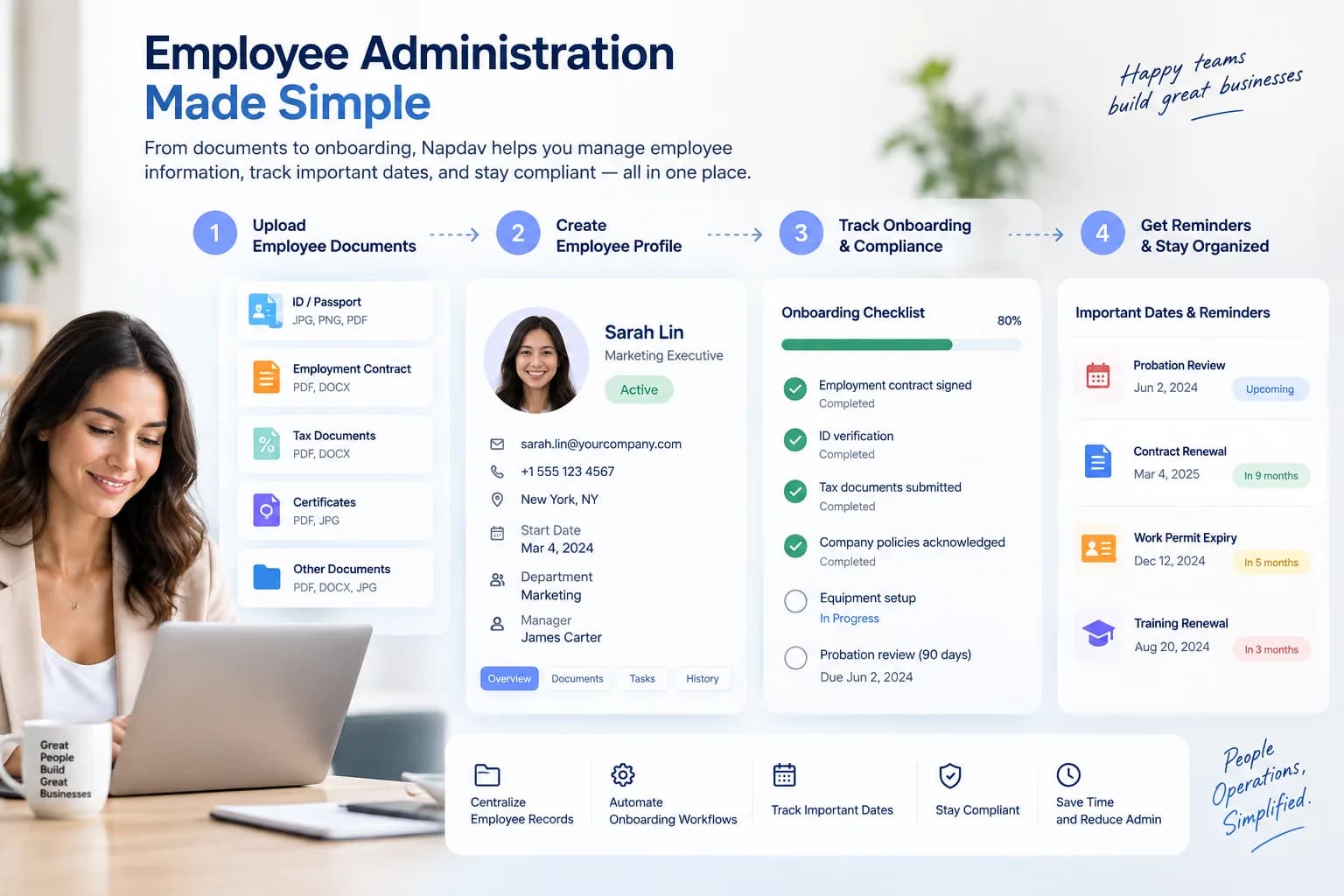
Profiles, onboarding documents, checklists, and important dates live in one record. The admin follows the employee lifecycle instead of a folder structure.

Ask what is due, overdue, missing, or changing. Napdav answers from the same records your team already uses, then links back to the source so the answer is inspectable.
The operational view is assembled from the records Napdav already created: invoices by state, tasks by owner, upcoming employee dates, and the items that need attention.
Invoices, expenses, payment state, and upcoming due dates
Open work, ownership, and deadlines across the team
Onboarding progress and important dates
What arrived, what was processed, and what needs review
Email, calendars, cloud storage, accounting, CRM, and messaging are integration categories on the product roadmap. The website does not present any category as live until it is implemented.
The product direction covers everyday business paperwork such as invoices, receipts, contracts, and employee documents. Exact file formats, size limits, field coverage, extraction quality, and retention behavior must be confirmed before production use.
That is a core intended workflow: prepare records with due dates and status while keeping the source document attached for review. Napdav is not accounting software and does not replace the financial system of record or professional accounting judgment.
Employee-document organization, onboarding work, and important-date reminders are part of the intended product model. Before storing real employee data, confirm access controls, hosting, retention, deletion, and contractual terms. Record tooling does not guarantee legal compliance.
Shared records, assigned tasks, and role-scoped access are part of the intended operating model. Confirm the implemented collaboration and permission controls during a demo before relying on them for sensitive or regulated information.
Napdav is designed for business owners and administrators rather than engineers. The intended workflow is upload, review, assign, and monitor without code. A demo is the appropriate way to verify whether the current product meets that usability goal.
Start with the documents already waiting in your inbox. A representative sample is enough to see whether Napdav fits the way your business runs.